



The Android operating system is currently the most popular worldwide, with billions of devices running on it, and this situation is unlikely to change in the coming years. Users choose Android for its versatile functionality, the ability to finely control the system, and its intuitive interface. You probably have such a gadget yourself, and if you consider yourself a gambler, you will be pleased to hear about the special BetLabel mobile app for Android. With this app, you can access your favourite gambling entertainment whenever you want!
Betlabel APK: download the official app for Android
What is Betlabel APK?
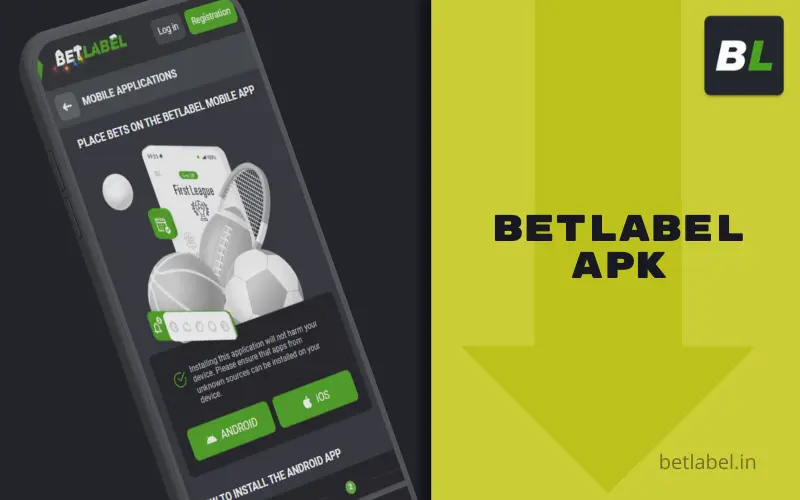
Some users may not be familiar with the apk extension, but in fact, most readers have encountered such files many times — it is a packed archive from which Android programmes are installed. Every time you install any application from Google Play, the official store first downloads a file of this format and then unpacks it, but this all happens automatically and goes unnoticed by the device user.
In the case of BetLabel, you will not be able to install our mobile application for Android from Google Play: this resource does not want to take responsibility for distributing gambling software that is not intended for minors. Fortunately, the most popular operating system in the world allows you to install programmes from any source — we take advantage of this loophole by offering to download the installation file from our official website. The installation procedure will not be automatic, but, firstly, there is simply no alternative, and secondly, it is much easier than it seems, and below we will provide detailed instructions on how to install this application.
Betlabel APK features
In fact, the BetLabel mobile app for Android can be best described as follows: it retains all the features and capabilities of the desktop site, plus adds some options that you would not be able to count on in a browser. In simple terms, with this programme, you will not be limited in any way. On the contrary, you can become a full-fledged customer, retaining the right to play your favourite games at any time. However, let’s not get ahead of ourselves — let’s get down to specifics.
Full access to betting and casino
The entire range of gambling entertainment that has made our establishment popular is available to visitors of the BetLabel mobile app for Android. In the case of sports betting, you can place predictions on 9,000+ events in approximately 60 disciplines, both before the start of the game and during it, with long-term bets (for example, on the results of the entire tournament) and non-sports bets (technology, show business, politics, weather) also available. A similar situation can be observed in the online casino section: thousands of entertainment options from more than a hundred providers are offered to your attention, with all the main genres represented, including video slots, card games, roulette, live casino, bingo, hunting and fishing, crash games, quick games and much more. We would like to emphasise the high degree of compatibility of BetLabel apk with modest gadgets: all calculations are performed on the server in any case, so you do not need to own a powerful flagship device to play with us.
Live betting and broadcasts
Among sports betting fans, there are not many people who really enjoy analysing pre-match odds, but there are a lot of players who prefer to bet based on what they see once the match has started. The BetLabel mobile app gives you this opportunity right up to the last moment: as long as there is still intrigue, you can place your bets. What's more, you can follow all the twists and turns of the match right in the app to correctly predict who will win and who will lose, because we show up to 30,000 video broadcasts every month! The broadcasts are completely free to watch — there is no requirement to place a bet on the match. For some matches, there is no TV coverage, but even then we try to keep you informed thanks to the Show Zone graphic broadcast.
Notifications about bonuses and promotions
A key feature of BetLabel apk that distinguishes it from our website is the ability to send notifications about bonuses and promotions. With some experience in gambling, you probably know that some promotions are so short-lived that you need to find out about them as soon as they appear, and some gifts may not be available at all to those who are not ready to react to their appearance immediately. In the Android mobile app, notifications are set up so that you are always aware of the most relevant offers and don't miss anything. However, users have the option to disable these notifications if they feel that they are causing them unhealthy interest.

Fast deposits and withdrawals
In online gambling, it is extremely important to be able to operate funds quickly and conveniently in order to urgently replenish your balance when a new interesting game or tempting promotion requires it, and to withdraw your winnings when you want to spend them in "real" life. The BetLabel mobile app gives customers this opportunity, and you can make payments using a variety of methods, including bank cards, electronic payment systems, and cryptocurrency wallets. The set of available methods for each country will be specific (with a focus on the local currency), but you can always force another country to send money using "local" methods. By the way, if the currency of the sender and the recipient differs, this will not be a problem: automatic conversion is carried out instantly.
It remains to add that our establishment emphasises high payment speeds: deposits are credited to your balance instantly, and withdrawals are usually processed within 15 minutes. At the same time, new players should remember that they must undergo mandatory identity verification before withdrawing money for the first time — without this, the transaction will be blocked by our security service.
How to download Betlabel APK
Our company has become popular enough that you can find our mobile app for Android even through a search engine. However, we strongly urge you not to search for BetLabel apk through Google — it is better to visit our official website directly and download the app from there, as described in the instructions below. Remember: any alternative source carries the risk that you may download a virus or other malicious software under the guise of our programme!
As for system requirements, there is no need to worry about them — they are so modest that problems are unlikely to arise. For everything to work well enough, your gadget must meet these simple parameters:
Operating system
Android 9 or newer
RAM
from 2 GB (in fact, it greatly depends on what other programmes are running simultaneously with BetLabel)
Internal memory
up to 1 GB for cache storage (you can clear it more often, but this will negatively affect the speed of the interface and traffic savings)
Screen parameters
any touchscreen display, resolution does not matter
Internet speed
10 Mbit/s should be sufficient for all needs, including watching sports video broadcasts and playing in live casinos
Betlabel APK installation instructions
Since BetLabel apk is not available on Google Play, the procedure for downloading and installing it will differ from what a typical Android user is accustomed to. To ensure that you do everything correctly and do not get confused, we offer brief instructions on what to do and how to do it when downloading and installing our programme.
Step 1. Allow installation from unknown sources
If you are installing software from outside Google Play on this gadget for the first time, the device will strongly remind you that the programme has been obtained from an unknown source and therefore may theoretically be unsafe. In fact, the developers’ concerns are not unfounded, which is why we ourselves recommend downloading our application only from the official BetLabel website. But even when downloading from there, you will need to give two permissions: separately for downloading and installing the apk. You can do this in advance by digging into the device settings, but recently, every smartphone manufacturer has been releasing its own shell, which makes it difficult to describe the path to the necessary settings in a universal way. In fact, you are not required to give these permissions in advance: a warning about the unknown origin of the file will be displayed at the start of the download and installation, and you will be prompted to go to the appropriate section of Settings, and all you have to do is follow the prompt.
Step 2. Download the Betlabel.apk file
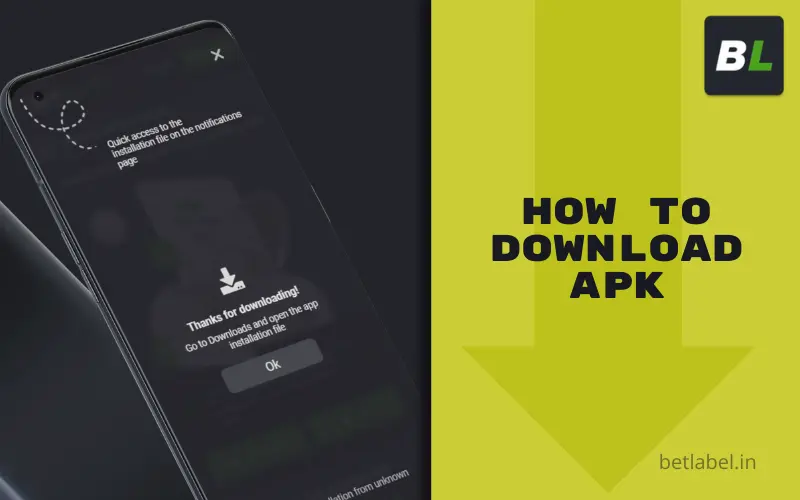
To download the BetLabel mobile app installation file, visit our official website from the device on which you plan to install the programme. When the home page loads, go to the Menu and tap the Android button in the Applications section. The apk will then begin to download — please wait a few seconds for the download process to complete. The exact duration of the process depends on your internet speed, but the file, depending on the current version, is only a few dozen megabytes, so the wait will not be long.
Step 3. Install and launch the application
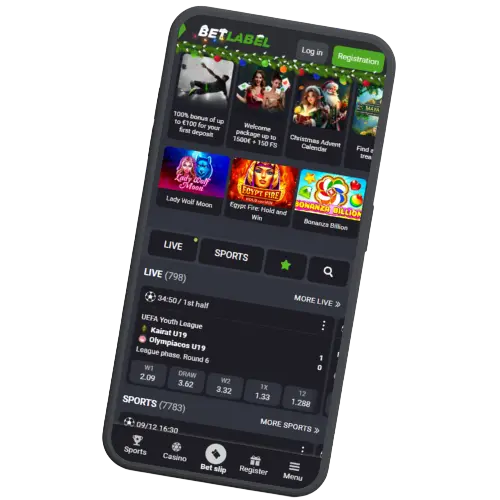
When the download is complete, go to the Downloads folder (you can also do this through the settings of the browser used for downloading) and find the betlabel.apk file. Now tap on it once – this will start the installation process for the mobile application. Wait a few more seconds, and our logo will appear on the main screen of your device, indicating that the installation is complete.
After that, you can launch the BetLabel app with a single tap by simply touching it on the main screen of your device.
Step 4. Log in or create an account
Now that you have installed the BetLabel mobile app, you need to register with the system to play on your own behalf, including synchronisation with your other devices. If you have already registered, you do not need to register again on BetLabel: click the Login button and log in via social networks or using your username and password. Customers should only complete the full registration process if they have not previously interacted with our platform and are now planning to use our services for the first time.
Advantages of Betlabel APK over the mobile version
We have already mentioned the existence of the mobile version of the BetLabel website above. On portable devices, it can serve as an adequate replacement for anyone who, for whatever reason, cannot or does not want to install a separate application. However, in our opinion, regular users should give preference to the separate programme, and here’s why:

the ability to play without launching a browser - in most cases, browsers are quite heavy and can slow down modest gadgets;
Increased speed and stability - a separate application stores file libraries in the device's memory, which means pages load faster and are less dependent on fluctuations in internet speed.
push notification support - thanks to the app, you will be notified in a timely manner about new promotions and the calculation of previous bets;
Traffic savings - provided by the application thanks to the fact that it stores templates in internal memory without downloading them each time.
Betlabel APK updates
Most Android users rely entirely on automatic search and installation of new builds when it comes to updating applications, but this function in the system is assigned to the official Google Play store, whereas you did not download the BetLabel software from there. In this situation, the user has no choice but to update the app manually: to do this, go to Settings in the Menu and look for the line with the programme version. If the status is listed as Updated, no further action is required; otherwise, an Update button will appear — press it and follow the system prompts.
We strongly recommend that users do not delay installing the update: it is advisable to download the new build as soon as it becomes available. This is a matter of your security and comfort: the update will definitely improve protection against unauthorised access, plus there may be new useful features.
Possible installation errors and their solutions
If you are unable to install our application, there are four most likely reasons.

The apk file is corrupted. This sometimes happens when a customer downloads the installation file on the go, under unstable connection conditions. Solution: delete the non-working installation file and download it again from our official website.
Not enough physical memory. This problem is relatively rare and only occurs on devices with literally a few hundred megabytes of free memory left; if possible, delete junk and unnecessary files to free up more space.
Not enough RAM. Often, the problem is not a lack of RAM overall, but rather that the resource is occupied by other tasks. Before installing the BetLabel application, try closing all other programmes and repeating the procedure.
System incompatibility detected. Theoretically, you may have an outdated version of Android OS or even a different operating system. If this is the case, installation will not be possible. Please use the BetLabel mobile website.
If the application was successfully installed but cannot be launched, the most likely reasons are the lack of physical or RAM memory described above. It is also possible that the installation was faulty – it is worth trying to uninstall the programme and reinstall it.
If the programme has been installed and launched, but you cannot see any games or bets (the interface does not load), the most likely cause of the problem is a slow internet connection, especially if this is the first time you are launching the programme and the downloaded page templates have not yet been cached. Theoretically, the problem could also be the same lack of physical memory.